

Microsoft Clarity costs $0. Heatmaps, recordings and behavioral filters are included, and Microsoft does not charge more as your traffic grows. For a basic site, budget two to four hours for setup and about 30 minutes a week to review what visitors do. Allow time separately for the changes you decide to make. Microsoft Clarity pricing
Start with one page and one action you want visitors to complete. Review recent recordings weekly because most expire after 30 days. If you also need surveys, compare the free Contentsquare plan, which now includes Hotjar’s tools.
Want the recordings read for you? Our Microsoft Clarity setup and review service installs it, configures the tags and turns the first month of data into a fix list.
What “free” means in Clarity’s case
Microsoft Clarity includes the following tools at no charge, with no paid upgrade for traffic or additional websites.
- Session recordings of real visits, with the page, device, country and referrer attached.
- Heatmaps for clicks, scroll depth and page areas, per page and per device.
- Frustration signals: rage clicks, dead clicks, quick-backs and excessive scrolling, each filterable.
- Funnels and filters built from URLs, events and custom tags.
- AI summaries of recordings and of what a page’s visitors did, so you do not have to watch every session.
- Integrations with Google Analytics 4 and Google Tag Manager, and a JavaScript API for custom tags.
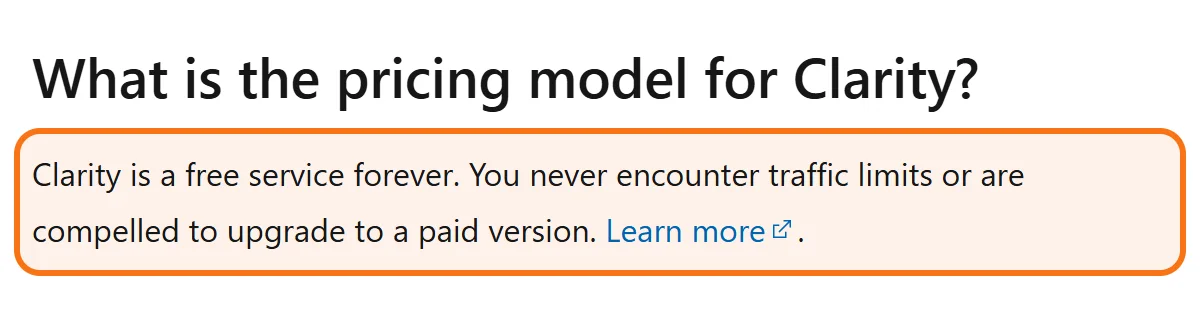
Microsoft says that making the service free helps it gather anonymous behavior data to improve its machine learning models. Review the data collection details alongside the features before you install the tag. Microsoft’s explanation
The limits that do exist
Recordings expire
Most recordings are available for 30 days. Favorites and some sampled recordings can stay available for up to nine months, as can heatmaps. Microsoft Clarity FAQ
Reports have data limits
Microsoft Clarity records up to 100,000 sessions per project per day. Each heatmap can include up to 100,000 page views. For a busy site, narrow your date range, page or device segment so the report answers a specific question. Microsoft Clarity limits
Consent and masking need testing
Configure the tag and masking for the markets you serve. Check the quote or contact form in a test session so sensitive fields and on-page details stay masked. Test what happens if you accept or decline analytics cookies. Microsoft Clarity consent mode
What it actually costs to use Clarity well
These are planning estimates for a basic site. A custom consent setup or a large site can take longer.
| Task | Planning estimate | What you check |
|---|---|---|
| Install and verify | 30–60 minutes | A test session appears once for the right domain. |
| Set up masking and an event | 45–90 minutes | Sensitive fields stay masked and the chosen action appears in the report. |
| Configure consent and review disclosures | 45–90 minutes | The tag behaves as intended for each consent choice. |
| Review one page each week | About 30 minutes per week | A recurring issue has an owner and a next step. |
| Make and measure a change | Depends on the fix | The original issue can be reproduced and the change addresses it. |
Budget four to six hours in a four-week first month, before any website fixes. With setup complete, four half-hour reviews take about two hours.
Microsoft Clarity vs. Hotjar and Contentsquare
Hotjar is now part of Contentsquare. For a new account, compare Microsoft Clarity with the current Contentsquare plans. Existing Hotjar customers can check the terms in their accounts. Contentsquare’s Hotjar transition guide
| Feature | Microsoft Clarity | Contentsquare Free |
|---|---|---|
| Price | $0, no paid plan | $0, with paid plans available |
| Projects and traffic | Unlimited sites and no traffic-based billing | One project and up to 200,000 monthly sessions |
| Session replay | Up to 100,000 recorded sessions per project per day | 5% of sessions, up to 10,000 monthly replays |
| Data access | Most recordings for 30 days, heatmaps up to nine months | One month |
| Surveys | Focuses on observed website behavior | Basic surveys included |
If you want heatmaps across several sites, Microsoft Clarity is a practical starting point. If you also want to ask visitors questions, check the survey and replay limits before you choose. Contentsquare pricing · Contentsquare replay limits
Who should use Clarity, and who should not
- Use it if you have a website that is supposed to produce calls, forms or orders and you can commit a couple of hours a month to reviewing what visitors do. That describes most Dallas–Fort Worth service businesses we work with.
- Use it with care if you handle health, financial or legal information on the site. Masking and consent are not optional, and your policy has to be explicit.
- Skip it if nobody will look at it. Install it the month you plan to fix the site, not the month you plan to think about it.
Set up Microsoft Clarity for your first review
- Create a project for the public site and install the tag once.
- Configure consent and masking before collecting live recordings.
- In a test visit, complete the action you plan to track. Verify the session and event, then check which details appear in the replay.
- Pick one page and device type for the first weekly review. Start with a high-value path, such as the quote form on mobile.
Use the rage clicks guide and dead clicks guide to narrow down which recordings to watch.
Read a scroll map and choose one change
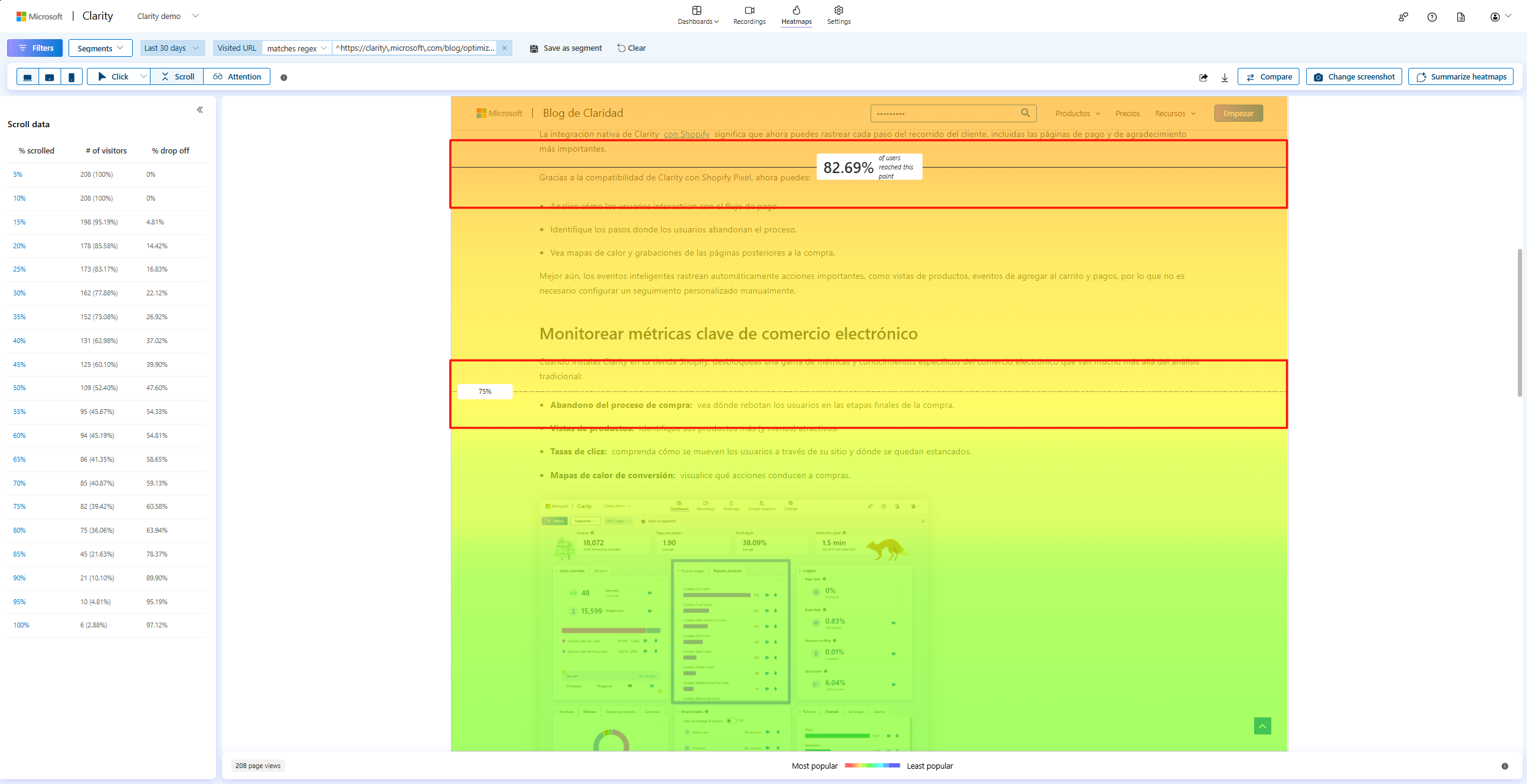
In Microsoft’s demo below, 109 of the 208 visitors in the report reached halfway down the page. If your quote button sits around that point, use a mobile-only scroll map to check how many visitors get there. Then watch relevant recordings before deciding what to change.
- Filter Choose one page and device.
- Check Compare the heatmap with several recordings.
- Fix Test one change you can explain.
- Measure Check the same action after the change.
| Signal | What to check | Change to test | Measure after the change |
|---|---|---|---|
| Few mobile visitors reach the quote button | Compare the button’s position with the mobile scroll map. | Add an earlier quote button. | Successful quote requests per mobile landing-page visit |
| People repeatedly tap contact details | Watch sessions with dead clicks and test the phone link on a device. | Make the number tappable. | Phone-link taps and calls |
| Visitors start the form and leave | Replay masked sessions and try to reproduce the same error. | Fix a reproducible validation error. | Confirmed submissions per form start |
What to do next
Pick a single page, name the action you want visitors to take, and book the first review before you install the tag. If nobody can take ownership of fixes, scope the review and the fixes separately in a conversion optimization engagement.
- Microsoft Clarity charges $0 for the software and includes heatmaps and session recordings.
- Most recordings last 30 days. Report limits still apply to recordings and individual heatmaps.
- Budget four to six hours in the first month for setup and four short reviews. Allow separate time for fixes.
- Compare Contentsquare’s current free plan if you also need basic surveys.
A Dallas–Fort Worth contractor can start with one question. Can a homeowner find and complete the quote request on a phone? Check the page and its masked recordings, reproduce the friction on a test device, then track completed requests after the fix.
Frequently Asked Questions
Yes. Microsoft Clarity costs $0 and includes heatmaps and session recordings, with no paid tier or traffic-based upgrade. Microsoft publishes separate limits for the amount of data those features can show.
Microsoft does not cap the number of sites in an account. It records up to 100,000 sessions per project per day, and each heatmap can include up to 100,000 page views.
Most recordings are retained for 30 days. Favorites and some sampled recordings can be kept for up to nine months. Heatmaps are also available for up to nine months.
Microsoft Clarity is a good fit if you want free heatmaps and recordings across several sites. Hotjar is now part of Contentsquare, whose free plan also includes basic surveys. Compare the session and replay limits for the site you plan to monitor.
Microsoft Clarity offers masking and consent controls. Configure them for the markets you serve, document how you use the tool, and test how the tag behaves when someone declines analytics cookies. Requirements depend on where and how you collect data.
For a basic site, budget two to four hours for setup and about 30 minutes a week for review. Scope developer fixes separately. Mantas Auk LLC can handle setup and ongoing review for you.
Want the recordings read for you?
We install Clarity through Tag Manager, set up masking, tags and consent, and turn the first month of recordings into a prioritized fix list for your money pages. You pay for the hours, never for the tool.
See the Clarity setup and review serviceCall (346) 244-8617Book a free 30-minute call
Dallas, Texas · no obligation · you speak to Mantas, not a sales desk


